Apple Carplay 4+64g Android Car Stereo Radio
Gps Navi Bt For Honda Crv 2012-2016
USD $119.80
Condition : New
Free Shipping

Notify me when the price drops
We will email you if we find a lower price on this product!
APPLE CARPLAY 4+64G ANDROID CAR STEREO RADIO GPS NAVI BT FOR HONDA CRV 2012-2016
Specifications:
Screen Size: 10.1 inch
Main frequency:1.3Hz
CPU: MT8163 4Cores
Operating System: Android 13
RAM: 64G
ROM: 4G
Operation Methods: 2.5D
Resolution: 1024600
Screen: IPS
Radio: FM
Output Power: 445W
Bluetooth: Support
DVR: Support
Rear Camera: Support
DSP: Support
Carplay: Wired andamp; Wireless
Android: Wired andamp; Wireless
Language: English, German, French, Italian, Spanish, Polish, Portuguese, Dutch and more
MAP: North America, South America, Europe, Australia, Southest Asia, est.
Accessories:
Car Radio 1
Frame 1
RCA cable 1
Power Cable 1
Can bus 1
Reversing line 1
Factory USB cable
Manual 1
USB cable 1
USB cable 2
GPS module 1
Please understand that our product includes standard wiring harnesses. If the wiring harness you receive does not match your car, please contact us to obtain a new one
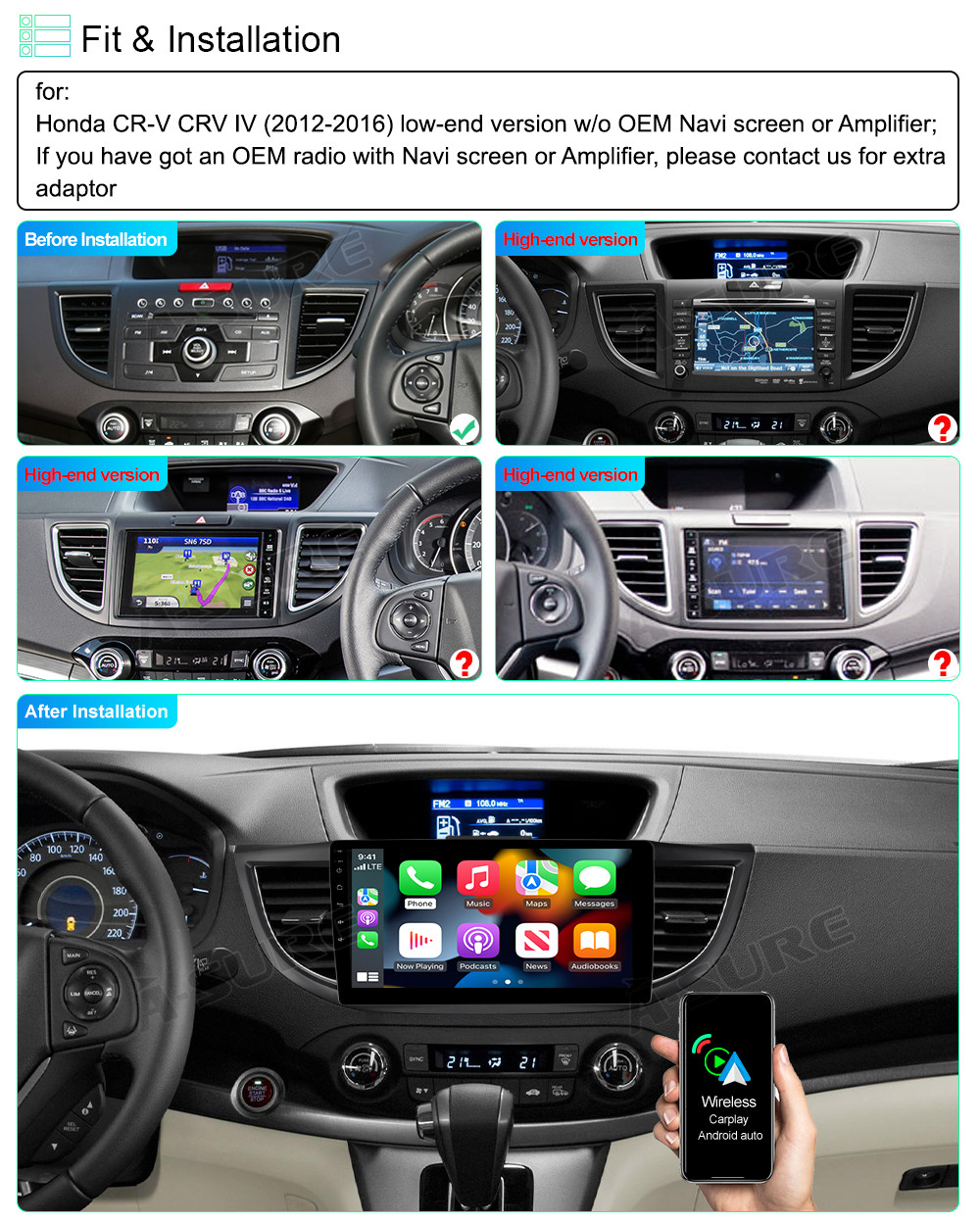
- HD touch screen car stereo suitable for Honda CRV 2012 2013 2014 2015 2016,support 1080P HD display.
- Note:please check the year, dimensions, and shape of the center console of your vehicles before purchasing.
- Built-in free GPS receiver, pre-install “HereWeGo”app for offline maps, Android head unit with WiFi or hotspot connection, you can surf the Internet, download apps you like from the play store,download offline maps from all over the world, or perfect use of online maps is not a problem so that you can easily reach your destination.
- Android car stereo with 4G RAM+64G ROM memory,allows you to download more of your favorite apps,like Youtube,Soptify,Pandora,etc.
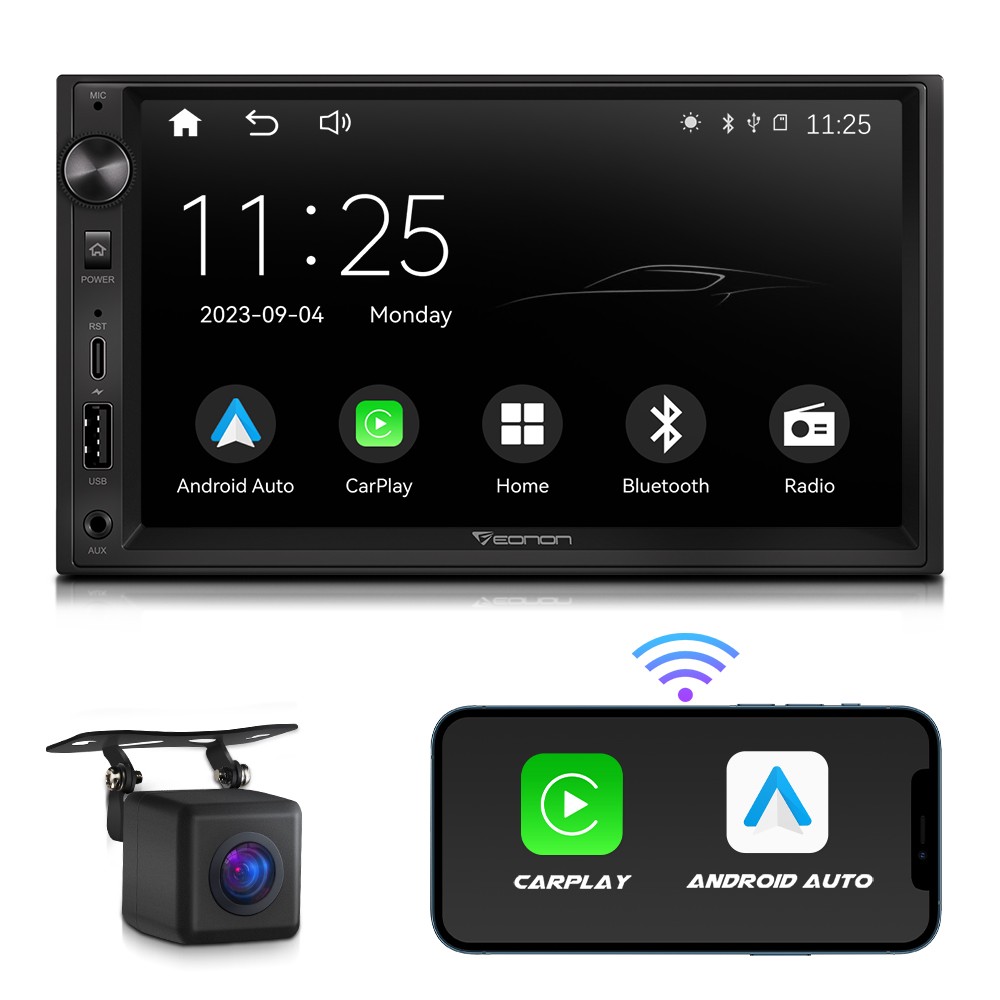
- Double din stereo with wireless/wired apple carplay and Android auto,you can connect your iphone via USB data cable or bluetooth, then open the Zlink app and wait for the carplay to be connected.Then you can make calls, access map,play music,send and receive information, etc.
- Multimedia car stereo built in Bluetooth4.0, support handsfree call,wireless music palyback,high quality FM radio for listening to real-time stations,support storage of 18 radio stations.
- Android radio support reversing image input,package inclued a rear view camera,Automatically jump to display the rear view image when reversing.Support steering wheel control button, easily to switch songs, change channels and adjust volume,make driving safer.
- A variety of EQ sound effects scene adjustable.Built-in HIFI.
- Factory setting keyword:8888 or 1234
- ●Wireless & Wired Carplay: You can choose wired connection or wireless connection to carplay, connect to Apple mobile phone, access mobile phone address book, mail, notification, map navigation, music, video and other information, and realize voice control.
● Wireless & Wired Android auto: The Wireless Android auto car system can closely integrate the user's Android phone and player, and realize navigation, make calls, send and receive information, listen to music and other operations through data cable connection;
GPS Navigation & Wifi/Hotspot Connection
GPS Navigation
- Support wifi connection,when connecting to the hot spot of your phone,you can watch online video,use online map navigation or surfing the internet.
- Built-in GPS navigation, you can use offline GPS navigation when driving.
Wifi/Hotspot Connection
- When connecting to wifi/hotspot,this Android head unit allows you to download more of your favorite apps,like Youtube,Soptify,Pandora,etc.
Bluetooth Handsfree Calls & Wireless Music
- Car stereo with bluetooth 4.0,connection Pin Code:0000.
- BT connection for handsfree call, wireless bt music stream
- Built-in Microphone and also with an external mic.
FM Radio
- High quality FM radio ,support preset 18 stations, music, traffic info, weather forecast ect.
- Support automatic or manual searching station.
- FM Range: 87.5~108MHz
Full RCA Output
- Audio and Video output, Subwoofer and microphone port sync radio/music/ video with back seat.
- When a reversing camera is connected, reversing automatically switches on the screen to guarantee that the vehicle can be reversed. (Rear view camera is NOT included in the package contents).
-
Package Included:
1 x Car MP5 Player
1 x Power Cable
1 x Canbus Box
1 x GPS Antenna
1 x Rear Camera lnput Cable
1 x RCA Cable
2 x USB Cable
1 x USB adapter
1 x Instruction manual -
Tips:
Q1. Why can't turn on the car radio ?
Please check the Voltage of car radio: 12V
When you test this car radio,you can combine the red and yellow wires and connect them to the positive side of the power supply.Black line to negative power supply.
Replace the same type of insurance to test the car radio.
Note: Please must use our power cables to connect our car radio,it is not possible to insert the original car plug directly into our machine.
Q2. Why the car radio will show "No Signal" when we reversing?
Please check if the camera's line is properly connected to the car radio.
Note: The video port of rear camera must insert the "CAMIN" port of car radio.
Q3. Why does the camera display "!" and "Can't watch video while driving" when I use USB to watch videos?
Please turn off the "Video Warning" function in the settings,then will be OK.
Q4. Why can't search FM?
No radio antenna inserted.
Please check if the radio antenna is plugged in. Please insert more antennas several times to make it well contacted.
The signal of your location is not good. Please go to a better place to test again.
The radio antenna on the car is broken/no effect; please replace the radio antenna and test again.
Q5. Why can't connect the Bluetooth of car radio?
Open the phone settings interface, open the Bluetooth in the Bluetooth function, search for Bluetooth devices, find the player's Bluetooth model to be paired; if you need a pairing code, enter 0000; if not, try 1234 or 123456.
Please try to use another mobile phone to test this function.
All methods are correct and still cannot use Bluetooth, Please unplug the plug on the back of the player and plug it in after 3 minute.








 .
.
